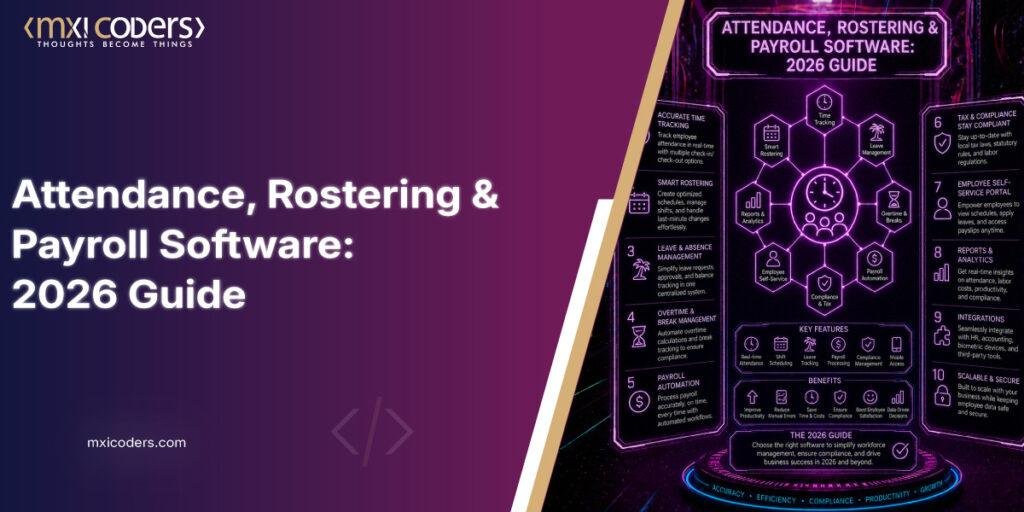
Workforce management software is a connected system that tracks when employees clock in and out, builds and adjusts shift rosters, records leave and time-off, and feeds all of that data into payroll. Rather than four separate spreadsheets, one system carries attendance data straight through to a paycheck, cutting down on manual re-entry and the errors that come with it.
➤ What Problem Does Attendance Management Software Actually Solve?
Attendance management software exists because manual time tracking is expensive to get wrong. Employers must keep accurate daily and weekly hour records for every non-exempt worker, a requirement spelled out in the Department of Labor’s Fact Sheet #21 on FLSA recordkeeping. The rule doesn’t mandate a specific tool. A paper timesheet can technically satisfy it. But paper and spreadsheets are also where hours quietly go missing, whether through simple transcription slips or someone clocking in a coworker who hasn’t arrived yet.
That’s the gap attendance software closes. Biometric or app-based check-ins tie a clock-in to a specific person and location, and the record flows automatically into the same system that calculates pay, rather than sitting in a folder until someone keys it into payroll by hand at the end of the pay period.
Digital signatures. Employees confirm their own hours before submission, creating an audit trail if a dispute comes up later.
Geofenced check-ins. For field teams and multi-location retail, location-tagged clock-ins confirm someone was actually on site.
Automatic overtime flags. The system flags approaching overtime thresholds before a shift ends, not after the pay run has already gone out.
➤ What Should Rostering Software Handle Beyond Basic Shift Scheduling?
Rostering software has to do more than fill a weekly grid with names. In several U.S. jurisdictions, how far in advance a schedule gets posted and what happens when it changes are matters of law, not just good management. Oregon’s Fair Workweek Act, for instance, requires covered retail, hospitality, and food service employers with 500 or more employees worldwide to post schedules at least 14 days ahead, and it triggers predictability pay when the employer changes a posted shift within that window. Cities including New York, Seattle, Chicago, and Philadelphia enforce similar ordinances of their own, each with its own headcount thresholds and advance-notice periods.
Enforcement isn’t theoretical. New York City’s Department of Consumer and Worker Protection secured a settlement of roughly $38.9 million from Starbucks over fair workweek violations, finalized on December 1, 2025, following an earlier $20 million consent order against Chipotle in 2022. For any multi-location employer, a rostering tool that can’t track which locations fall under which ordinance, log advance notice automatically, and calculate predictability pay when a manager swaps a shift is a compliance gap waiting to surface.
➤ How Does Leave Management Software Fit Into the Bigger System?
Leave management only works well when it isn’t a separate silo from the roster. If an employee’s approved time off doesn’t automatically block that slot on the schedule, a manager can end up double-booking a shift, or approving leave for someone already rostered to work it. Leave management software solves this by tying accrual balances, requests, and approvals directly into the same calendar the roster draws from, so current and future leave (weekly or yearly) is visible wherever scheduling decisions get made, not buried in a separate request form.
➤ What Does a Payroll Management System Need to Get Right?
A payroll management system is the point where attendance and leave data become an actual paycheck, and it’s also where the IRS penalty structure gets unforgiving. Under the federal deposit penalty schedule, a late payroll tax deposit is penalized at 2% if it’s one to five days late, 5% if it’s six to fifteen days late, 10% beyond fifteen days, and 15% if it remains unpaid after the IRS sends a formal notice and demand. Since these penalties scale with the size of the missed deposit, a payroll system that automates tax calculations and deposit timing based on accurate, real-time hours worked directly reduces that exposure, rather than leaving it to a manual monthly reconciliation.
The other piece a payroll management system needs is a clean, one-way data path from attendance and leave into the pay run. Every manual re-entry point between a timesheet and a paycheck is a place where a transcription error can turn into an underpayment, an overpayment, or a labor law violation that shows up months later in an audit.
➤ Comparing Workforce Management Approaches
| Option | Mechanism | Best Fit | Trade-off |
| Standalone time clock | Punch-based check-in/out, exported to payroll separately | Very small teams, single location | Manual export step still invites data entry errors |
| Integrated WFM suite | Attendance, rostering, leave, and payroll in one connected platform | Multi-location retail, hospitality, and healthcare employers | Higher upfront cost and setup time than point solutions |
| HRIS-embedded module | Time and attendance bundled inside a broader HR system | Businesses that already run payroll and HR from the same vendor | Scheduling and rostering features are often less flexible than dedicated tools |
| Custom-built system | Purpose-built app tailored to a specific workflow (roles, dashboards, modules) | Businesses with a workflow that off-the-shelf software doesn’t fit | Requires an ongoing development relationship for maintenance and updates |
➤ Limitations and Industry Challenges
No workforce management system removes every compliance risk automatically. Predictive scheduling law is a genuine patchwork: Oregon has the only statewide law, while roughly a dozen individual cities run their own ordinances with different thresholds, and several states have passed laws pre-empting cities from adopting anything similar. A system built for one jurisdiction’s rules won’t necessarily catch another’s without configuration. Biometric attendance tools also carry their own legal exposure. States including Illinois, Texas, and Washington regulate how biometric data can be collected and stored, and getting that wrong can cost more than the time theft the system was meant to prevent. None of this is a reason to avoid automation, but it is a reason to treat compliance configuration as an ongoing task rather than a one-time setup.
➤ Frequently asked questions
- Does workforce management software replace the need to keep timesheets under federal law?
No. The Fair Labor Standards Act doesn’t specify a format for time records, so software-based logs satisfy the requirement as long as they’re complete and accurate, the same standard that applies to a paper timesheet. - Is predictive scheduling a federal requirement?
No. The Fair Labor Standards Act governs minimum wage, overtime, and recordkeeping, but scheduling notice is handled at the state and city level, which is why the rules differ so much by location. - Can leave management software connect to an existing payroll provider instead of replacing it?
Most modern platforms are built to sync with existing payroll systems through integrations rather than requiring a full switch, though the depth of that integration varies by vendor. - How does rostering software calculate predictability pay automatically?
It compares the originally posted schedule against any later change, flags edits made inside the jurisdiction’s notice window, and applies the applicable premium, whether that’s a set hour of pay or a percentage of the affected shift.
➤ Conclusion
None of these four pieces (attendance, rostering, leave, and payroll) function well in isolation anymore. A roster that doesn’t know about approved leave creates double-bookings. Attendance data that doesn’t flow into payroll invites manual errors and IRS penalties. And scheduling that ignores fair workweek law invites the kind of enforcement action New York City has already brought against major national employers. The direction the market is heading, toward AI-assisted scheduling and real-time compliance alerts, is really just software catching up to the fact that these four functions were always one operational problem, not four separate ones.
Mxi coders builds custom workforce management systems, including the web and mobile enterprise mobile app development work behind rostering and attendance apps, tailored to a business’s specific roles, locations, and compliance requirements, and works this into broader HR management system software where a client needs payroll and HR handled together. If your current setup is a patchwork of spreadsheets and a standalone time clock, or an off-the-shelf tool that doesn’t match how your shifts actually run, book a free consultation to talk through what a purpose-built system would look like for your team.
Your information is 100% secure and confidential.
➤ Sources Used
- U.S. Department of Labor, Fact Sheet #21: Recordkeeping Requirements under the FLSA
- OnPay, “Understanding payroll tax penalties” (IRS deposit penalty schedule, 2%/5%/10%/15%)
- Sommers Schwartz, “Predictive Scheduling Laws: What Employees Need To Know” (Oregon Fair Workweek Act, 14-day notice)
- Clockspot, “Predictive Scheduling Laws by State” (NYC DCWP Starbucks and Chipotle settlements)
- Rippling, “Predictive Scheduling Laws by State” (biometric privacy states, jurisdiction detail)