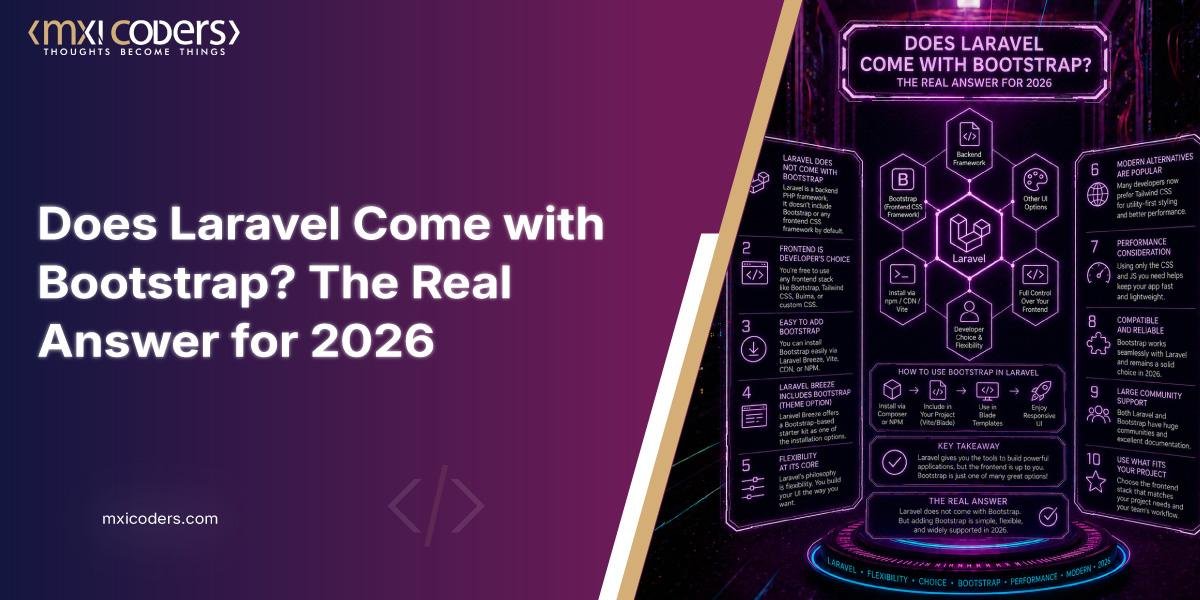
No, Laravel does not come with Bootstrap built in. Since Laravel 8, the framework’s official starter kits, Breeze and Jetstream, use Tailwind CSS by default. Bootstrap support still exists, but only through a separate package you install yourself.
If you used Laravel a few years back, this is probably the opposite of what you remember. Bootstrap used to be baked into a fresh install, and honestly, a lot of tutorials still floating around the web haven’t caught up to the change. Let’s clear up exactly what shipped when, and how to get Bootstrap running in a current Laravel project without fighting the framework.
➤ What does Laravel come with by default?
A new Laravel install ships with the Laravel framework itself, the Blade templating engine, and Vite for asset bundling. It does not include any CSS framework preinstalled. When you scaffold authentication with Breeze or Jetstream, the generated views are styled with Tailwind CSS, not Bootstrap.
Laravel’s own documentation for the current 12.x release confirms this directly: Breeze’s default view layer is made up of simple Blade templates styled with Tailwind CSS, and Breeze also offers Livewire and Inertia based scaffolding using Vue or React, none of which touch Bootstrap.
➤ When did Laravel stop shipping with Bootstrap?
Bootstrap was the default authentication scaffolding style up through Laravel 7. That changed with Laravel 8. As one maintainer who later built a Bootstrap compatibility package for Breeze put it, Bootstrap was the default theme for years but lost that status once new starter kits arrived, and the shift caused real confusion among developers who were used to the old workflow.
The Bootstrap and Vue scaffolding that Laravel previously bundled got moved into its own optional package, laravel/ui. Laravel’s frontend documentation for version 7 still describes the old default: running php artisan ui bootstrap generated basic scaffolding, or php artisan ui bootstrap –auth for login and registration screens. That command still exists today, but you have to install the package first, it’s no longer there out of the box.
➤ How do I add Bootstrap to a current Laravel project?
You have three realistic paths, depending on how much scaffolding you want Laravel to generate for you.
Laravel UI package. Run composer require laravel/ui, then php artisan ui bootstrap –auth. This is the closest thing to the old default behavior. Laravel’s own package listing still describes it as a basic starting point using Bootstrap, React, or Vue, though the same page recommends Breeze or Jetstream for new projects instead.
Breeze with a Bootstrap adapter. Breeze itself only outputs Tailwind, but community packages exist to swap that. One actively maintained option lets you run composer require guizoxxv/laravel-breeze-bootstrap after installing Breeze, then php artisan breeze-bootstrap:install, which reconfigures the generated templates to use Bootstrap instead of Tailwind.
Manual integration. Pull Bootstrap in through npm and your Vite config, then reference the classes directly inside your Blade templates. This gives you full control with no scaffolding package in the middle, and it’s the approach most teams use once a project has grown past a starter kit’s default views.
| Option | Mechanism | Best fit | Trade-off |
| Laravel UI | Official legacy package, artisan command generates Bootstrap views | Projects wanting the pre-Laravel-8 default behavior back quickly | Marked legacy, receives only bug fixes on its latest major version |
| Breeze + Bootstrap adapter | Community package reskins Breeze’s Tailwind output | Teams who want Breeze’s auth logic but Bootstrap’s components | Depends on a third-party package rather than Laravel core |
| Manual npm integration | Install Bootstrap via npm, import in your Vite entry point, use classes in Blade | Teams building custom UI without a starter kit | More setup work, no auto-generated views |
➤ Does Laravel’s Blade templating engine require Bootstrap?
No. Blade has no dependency on any CSS framework. Blade is Laravel’s templating layer, it handles layout inheritance, components, and directives like @if and @foreach. What you style those templates with, Bootstrap, Tailwind, or plain CSS, is entirely your choice. That separation is exactly why Laravel could switch its default from Bootstrap to Tailwind without changing how Blade itself works.
➤ Is Laravel UI still worth using in 2026?
It still works, but it’s positioned as a legacy option. Laravel’s package registry notes that only the latest major version of Laravel UI receives bug fixes, and Laravel’s own documentation steers new projects toward Breeze or Jetstream. If you’re starting fresh and don’t have a specific reason to want Bootstrap, Tailwind through Breeze is the path with the most active support behind it. If your team already has Bootstrap components, design system, or muscle memory built around it, Laravel UI or the Breeze Bootstrap adapter are both reasonable choices, not dead ends.
In one recent client migration I worked through, moving an older laravel/ui Bootstrap project onto Breeze took longer than expected, not because of the CSS swap itself, but because of custom JavaScript that had been written directly against Bootstrap’s jQuery based components. If your app has any hand rolled Bootstrap JS, budget time for that separately from the template restyling.
➤ Limitations and Caveats
Package popularity numbers and download counts change frequently and are not reproduced here beyond what’s directly cited, since a specific figure can be stale within weeks. Community packages like the Breeze Bootstrap adapter are maintained outside Laravel’s core team, so their long term support depends on individual maintainers rather than official guarantees. Always check a package’s current compatibility table against your specific Laravel version before installing.
➤ Frequently asked questions
- Can I still use Bootstrap 5 with Laravel 12?
Yes. Bootstrap 5 works fine with Laravel 12 through either the laravel/ui package or manual npm integration. Laravel itself doesn’t care which CSS framework you use, since styling is entirely separate from the backend. - Does Laravel Jetstream support Bootstrap?
No. Jetstream, like Breeze, ships with Tailwind CSS as its styling layer and doesn’t offer a built in Bootstrap option. - Will Laravel bring back Bootstrap as a default in a future version?
There’s no indication of that. Laravel’s maintainers have consistently pointed new projects toward Tailwind based starter kits since Laravel 8, and that direction hasn’t shifted across versions 9 through 13. - What’s the difference between Laravel UI and Laravel Breeze?
Laravel UI is older, simpler, and Bootstrap based by default. Breeze is the newer, actively recommended starter kit, and ships with Tailwind, though Bootstrap can be added to it through a community adapter.
➤ Conclusion
The short version is that Laravel and Bootstrap were tightly linked for years, but that’s not where the framework stands today. Tailwind is the default styling layer across Laravel’s current starter kits, and Bootstrap has moved from being built in to being an optional add on. That’s not a downgrade for Bootstrap, it’s just a reflection of where frontend defaults in the PHP framework world have moved. If your project has a reason to stick with Bootstrap, whether that’s an existing design system or a team that knows it well, Laravel still supports that choice cleanly through laravel/ui or manual integration. The framework’s MVC structure and Blade templating don’t care either way.
Ready to build or modernize your Laravel application, whether that means a fresh Tailwind based build or migrating an existing Bootstrap project? Get in touch with our team for laravel web development support, or explore our Laravel development services to see how we approach these projects.