[ Your Headline ] [ Highlight Word ]

[ One or two lines describing the offer — e.g. "Experience our services with a FREE 30-minute consultation." ]

[ Optional second line, e.g. "Have a concept in mind? Let's brainstorm together!" ]

Google ★★★★★ 4.8
GoodFirms ★★★★★ 4.7
Clutch ★★★★★ 5.0
Software Product Development,Software Project Management,Uncategorized

Choosing Inventory Software for Your Retail Shop: A 2026 Buyer's Checklist

Ashok Rathod

Tech Consultant

Posted on
14th Jul 2026
8 min
Read
Share

Table of Contents

  • Quick Tips
  • Familiarize yourself with Cash App
  • Enable two-factor authentication
  • Utilize the optional Cash App
  • Conclusion

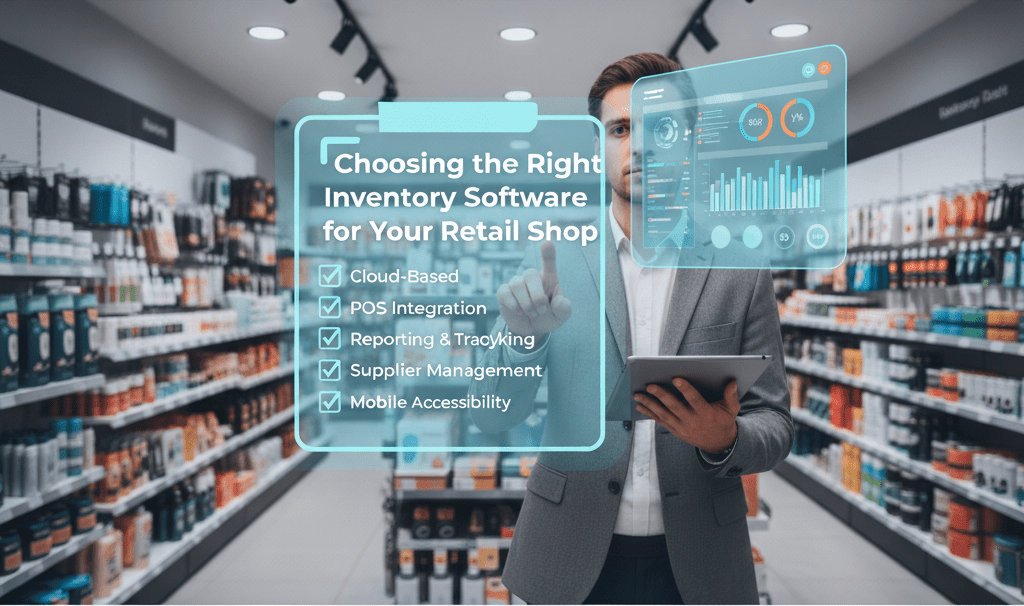
Retail inventory software should sync stock counts with your POS and online store in real time, support barcode scanning, and automatically flag reorder points before you sell out. Most small and mid-sized retailers pay between $50 and $300 a month for a cloud based system, with the right fit depending on SKU count, number of locations, and whether you sell online as well as in store.

If you’re still running your shop off spreadsheets, you already know the pain points: a stock count that doesn’t match reality, a best-seller that sells out online because the system didn’t know it, an afternoon lost reconciling numbers instead of serving customers. Inventory management software exists to close that gap between what your system thinks you have and what’s actually on the shelf. Getting the choice right matters more than most retailers expect. Inventory distortion, the combined cost of running out of stock and sitting on too much of it, cost retailers an estimated $1.77 trillion worldwide in 2025, according to IHL Group’s research. A meaningful share of that is solvable with better software and better process, not bigger budgets.

➤ Will it actually talk to your POS and online store?

This is where a lot of retailers get burned. If your new inventory system can’t communicate live with your point of sale, your e-commerce platform, and your accounting software, you haven’t solved the problem. You’ve just added a second dashboard to reconcile by hand. One shop owner we’ll call Grace ran a stand-alone system that updated her POS through a daily file upload. On a busy weekend she sold 47 units of a hot item she didn’t actually have, because the software was a full day behind her sales. That mismatch cost her in refunds, shipping, and a string of bad reviews, and it went away the moment she switched to a system with live, two-way integration.

Before you sign anything, ask the vendor to demo the integration live with your specific POS and cart platform, not a generic one. Ask what happens to a stock count when a transaction is voided. And ask whether the connection runs through a native API or a slower flat-file exchange, since that difference decides whether your numbers are accurate in seconds or in hours.

➤ Cloud based inventory software or on premise: which fits a retail shop?

Most modern retailers land on cloud based inventory software, and the market data backs that instinct. Cloud deployments already hold the largest share of the global inventory management software market, which Grand View Research values at $3.9 billion in 2026, growing to $7.1 billion by 2033. Here’s how the two models actually compare.

OptionMechanismBest fitTrade-off
Cloud based (SaaS)Hosted by the vendor, accessed through a browser or app, updated automaticallySingle or multi location retailers who want low upfront cost and access from anywhereOngoing subscription cost, and you depend on the vendor’s uptime
On premiseInstalled and run on your own servers, licensed onceRetailers in regulated categories who need full control over where data sitsHigh upfront hardware and license cost, plus your own IT staff to maintain it

Cloud systems mean no server to maintain and no waiting on an in-house IT team for updates. That matters most for a small team, since it lets you check stock from a trade show, a second location, or your kitchen table without setting up a VPN. On premise still makes sense for retailers in categories with strict data residency rules, but for a typical single or dual location shop, cloud is the practical default in 2026.

➤ What’s the real difference between retail inventory software and warehouse inventory software?

These two get used interchangeably, and that’s a mistake worth avoiding before you buy. Warehouse inventory software is built around bulk movement: receiving, putaway, picking, packing, and shipping out the door. Retail inventory software is built around the consumer-facing side: POS integration, product variants, promotions and markdowns, returns, and keeping stock synced across channels, according to Capterra’s comparison of the two categories. If you run a single storefront with a small backroom, retail-focused software covers you. If you also fulfill online orders from a dedicated stockroom or a second warehouse, you’ll likely need a system that handles both, or two systems that talk to each other cleanly through an integration.

A simple way to size this up: shops with a few hundred SKUs in one location can often get by with the inventory tools built into their POS. Once you cross a few hundred SKUs, add a second location, or start shipping online in real volume, a dedicated system starts paying for itself quickly.

➤ How much does inventory management software actually cost?

Pricing varies more than most retailers expect, and the sticker price is rarely the full story. Entry-level cloud plans for a single-location shop typically run $50 to $300 a month, according to a 2026 pricing guide from inFlow Inventory, which draws on publicly listed vendor rates verified in June 2026. Mid-market retailers with multiple locations and heavier reporting needs should expect $500 to $3,000 a month once you factor in extra users and locations.

The subscription fee is only one line item. Budget separately for setup and data migration, any proprietary scanner hardware the vendor pushes, and integration fees for connecting to your POS or accounting software, since some vendors charge extra for exactly the integration that made you buy the software in the first place. Get a single quote that covers every module you’ll actually need on day one, not a teaser price that balloons once you add users.

➤ Which features actually cut stockouts and dead stock?

Barcode scanning is no longer a nice-to-have. A widely cited Ohio University accuracy study found that manual keystroke entry averages roughly one error per 300 entries, compared with about one error per 2.8 million scans for a Code 128 barcode, a gap that Camcode’s 2026 warehouse barcode guide puts at the center of the accuracy case for scanning. That kind of error reduction compounds fast once you’re processing hundreds of receiving and picking transactions a week.

Beyond scanning, look for software that sets dynamic reorder points based on your actual sales velocity rather than a fixed number you set once and forget, and that can flag slow-moving stock before it turns into a clearance problem. If you sell anything with an expiration date or a warranty, confirm the system tracks by batch, lot, or serial number specifically, since simple unit counts won’t support a recall or a warranty claim.

➤ Limitations and industry challenges

No inventory system fixes bad data on its own. If your current spreadsheet has duplicate SKUs or inconsistent naming, that mess transfers into the new system unless you clean it up first. Integration quality also varies a lot by vendor and by which POS or e-commerce platform you run; a “native integration” claim on a sales call is worth confirming with a live demo against your actual stack before you sign. And while cloud pricing looks predictable upfront, per-user and per-location fees can push real costs well past the advertised starting price as a shop grows, so it’s worth modeling your cost at double your current SKU count and location count, not just where you are today.

➤ Frequently asked questions

  1. Do small retail stores need dedicated inventory software, or can they manage with a spreadsheet?
    Stores with under a few hundred SKUs in a single location can often manage with the inventory tools already built into their POS. The case for a dedicated system gets noticeably stronger once you pass a few hundred SKUs, add a second location, or start selling online alongside your storefront.
  2. What questions should I ask a vendor before committing to a trial?
    Ask for a live, hands-on trial using a copy of your actual product data and at least a month of real sales history, not just a canned demo. Ask what a full stock transfer between two locations looks like in their system, and ask what the exact export process is if you ever decide to leave.
  3. Is switching from a spreadsheet system a difficult migration?
    It doesn’t have to be. Most current product data, SKUs, descriptions, and stock counts, can move over through a standard CSV import. The part that turns into a headache is usually the state of the spreadsheet itself; cleaning up duplicate or inconsistent entries before the transfer avoids most migration problems.
  4. How is warehouse inventory software priced differently from retail inventory software?
    Warehouse-focused systems often price around throughput and location count, including modules like directed putaway and wave picking that a single-storefront retailer doesn’t need. Retail-focused systems tend to price around POS integrations, channels, and users instead, which is usually the cheaper path for a shop without a dedicated distribution warehouse.

➤ Conclusion

Picking inventory software isn’t really about finding the tool with the longest feature list. It’s about matching the system to how your shop actually moves stock: whether that’s a single storefront that needs tight POS syncing, or a retail and warehouse combination that needs both channel-facing and bulk-movement features. Get the integration test, the deployment model, and the real cost of ownership right, and the rest of the checklist tends to fall into place.

Need help evaluating or integrating a system for your shop? Mxicoders works with retailers on POS software integration, cloud infrastructure, and warehouse management builds. Book a free consultation to walk through your current setup before you commit to a vendor.

➤ Sources Used

  • Camcode, “Warehouse Barcode System: 5-Step Setup Guide” (2026)
  • IHL Group, “Fixing Inventory Distortion” (2025 Data)
  • Grand View Research, Inventory Management Software Market Report (Updated June 2026)
  • Capterra, “Inventory Management vs. Warehouse Management Software”
  • inFlow Inventory, “How Much Does Inventory Management Software Cost in 2026?”
cloud based inventory software,retail inventory software,warehouse inventory software,cost of inventory management software

Retail inventory software should sync stock counts with your POS and online store in real time, support barcode scanning, and automatically flag reorder points before you sell out. Most small and mid-sized retailers pay between $50 and $300 a month for a cloud based system, with the right fit depending on SKU count, number of locations, and whether you sell online as well as in store.

If you’re still running your shop off spreadsheets, you already know the pain points: a stock count that doesn’t match reality, a best-seller that sells out online because the system didn’t know it, an afternoon lost reconciling numbers instead of serving customers. Inventory management software exists to close that gap between what your system thinks you have and what’s actually on the shelf. Getting the choice right matters more than most retailers expect. Inventory distortion, the combined cost of running out of stock and sitting on too much of it, cost retailers an estimated $1.77 trillion worldwide in 2025, according to IHL Group’s research. A meaningful share of that is solvable with better software and better process, not bigger budgets.

➤ Will it actually talk to your POS and online store?

This is where a lot of retailers get burned. If your new inventory system can’t communicate live with your point of sale, your e-commerce platform, and your accounting software, you haven’t solved the problem. You’ve just added a second dashboard to reconcile by hand. One shop owner we’ll call Grace ran a stand-alone system that updated her POS through a daily file upload. On a busy weekend she sold 47 units of a hot item she didn’t actually have, because the software was a full day behind her sales. That mismatch cost her in refunds, shipping, and a string of bad reviews, and it went away the moment she switched to a system with live, two-way integration.

Before you sign anything, ask the vendor to demo the integration live with your specific POS and cart platform, not a generic one. Ask what happens to a stock count when a transaction is voided. And ask whether the connection runs through a native API or a slower flat-file exchange, since that difference decides whether your numbers are accurate in seconds or in hours.

➤ Cloud based inventory software or on premise: which fits a retail shop?

Most modern retailers land on cloud based inventory software, and the market data backs that instinct. Cloud deployments already hold the largest share of the global inventory management software market, which Grand View Research values at $3.9 billion in 2026, growing to $7.1 billion by 2033. Here’s how the two models actually compare.

OptionMechanismBest fitTrade-off
Cloud based (SaaS)Hosted by the vendor, accessed through a browser or app, updated automaticallySingle or multi location retailers who want low upfront cost and access from anywhereOngoing subscription cost, and you depend on the vendor’s uptime
On premiseInstalled and run on your own servers, licensed onceRetailers in regulated categories who need full control over where data sitsHigh upfront hardware and license cost, plus your own IT staff to maintain it

Cloud systems mean no server to maintain and no waiting on an in-house IT team for updates. That matters most for a small team, since it lets you check stock from a trade show, a second location, or your kitchen table without setting up a VPN. On premise still makes sense for retailers in categories with strict data residency rules, but for a typical single or dual location shop, cloud is the practical default in 2026.

➤ What’s the real difference between retail inventory software and warehouse inventory software?

These two get used interchangeably, and that’s a mistake worth avoiding before you buy. Warehouse inventory software is built around bulk movement: receiving, putaway, picking, packing, and shipping out the door. Retail inventory software is built around the consumer-facing side: POS integration, product variants, promotions and markdowns, returns, and keeping stock synced across channels, according to Capterra’s comparison of the two categories. If you run a single storefront with a small backroom, retail-focused software covers you. If you also fulfill online orders from a dedicated stockroom or a second warehouse, you’ll likely need a system that handles both, or two systems that talk to each other cleanly through an integration.

A simple way to size this up: shops with a few hundred SKUs in one location can often get by with the inventory tools built into their POS. Once you cross a few hundred SKUs, add a second location, or start shipping online in real volume, a dedicated system starts paying for itself quickly.

➤ How much does inventory management software actually cost?

Pricing varies more than most retailers expect, and the sticker price is rarely the full story. Entry-level cloud plans for a single-location shop typically run $50 to $300 a month, according to a 2026 pricing guide from inFlow Inventory, which draws on publicly listed vendor rates verified in June 2026. Mid-market retailers with multiple locations and heavier reporting needs should expect $500 to $3,000 a month once you factor in extra users and locations.

The subscription fee is only one line item. Budget separately for setup and data migration, any proprietary scanner hardware the vendor pushes, and integration fees for connecting to your POS or accounting software, since some vendors charge extra for exactly the integration that made you buy the software in the first place. Get a single quote that covers every module you’ll actually need on day one, not a teaser price that balloons once you add users.

➤ Which features actually cut stockouts and dead stock?

Barcode scanning is no longer a nice-to-have. A widely cited Ohio University accuracy study found that manual keystroke entry averages roughly one error per 300 entries, compared with about one error per 2.8 million scans for a Code 128 barcode, a gap that Camcode’s 2026 warehouse barcode guide puts at the center of the accuracy case for scanning. That kind of error reduction compounds fast once you’re processing hundreds of receiving and picking transactions a week.

Beyond scanning, look for software that sets dynamic reorder points based on your actual sales velocity rather than a fixed number you set once and forget, and that can flag slow-moving stock before it turns into a clearance problem. If you sell anything with an expiration date or a warranty, confirm the system tracks by batch, lot, or serial number specifically, since simple unit counts won’t support a recall or a warranty claim.

➤ Limitations and industry challenges

No inventory system fixes bad data on its own. If your current spreadsheet has duplicate SKUs or inconsistent naming, that mess transfers into the new system unless you clean it up first. Integration quality also varies a lot by vendor and by which POS or e-commerce platform you run; a “native integration” claim on a sales call is worth confirming with a live demo against your actual stack before you sign. And while cloud pricing looks predictable upfront, per-user and per-location fees can push real costs well past the advertised starting price as a shop grows, so it’s worth modeling your cost at double your current SKU count and location count, not just where you are today.

➤ Frequently asked questions

  1. Do small retail stores need dedicated inventory software, or can they manage with a spreadsheet?
    Stores with under a few hundred SKUs in a single location can often manage with the inventory tools already built into their POS. The case for a dedicated system gets noticeably stronger once you pass a few hundred SKUs, add a second location, or start selling online alongside your storefront.
  2. What questions should I ask a vendor before committing to a trial?
    Ask for a live, hands-on trial using a copy of your actual product data and at least a month of real sales history, not just a canned demo. Ask what a full stock transfer between two locations looks like in their system, and ask what the exact export process is if you ever decide to leave.
  3. Is switching from a spreadsheet system a difficult migration?
    It doesn’t have to be. Most current product data, SKUs, descriptions, and stock counts, can move over through a standard CSV import. The part that turns into a headache is usually the state of the spreadsheet itself; cleaning up duplicate or inconsistent entries before the transfer avoids most migration problems.
  4. How is warehouse inventory software priced differently from retail inventory software?
    Warehouse-focused systems often price around throughput and location count, including modules like directed putaway and wave picking that a single-storefront retailer doesn’t need. Retail-focused systems tend to price around POS integrations, channels, and users instead, which is usually the cheaper path for a shop without a dedicated distribution warehouse.

➤ Conclusion

Picking inventory software isn’t really about finding the tool with the longest feature list. It’s about matching the system to how your shop actually moves stock: whether that’s a single storefront that needs tight POS syncing, or a retail and warehouse combination that needs both channel-facing and bulk-movement features. Get the integration test, the deployment model, and the real cost of ownership right, and the rest of the checklist tends to fall into place.

Need help evaluating or integrating a system for your shop? Mxicoders works with retailers on POS software integration, cloud infrastructure, and warehouse management builds. Book a free consultation to walk through your current setup before you commit to a vendor.

➤ Sources Used

  • Camcode, “Warehouse Barcode System: 5-Step Setup Guide” (2026)
  • IHL Group, “Fixing Inventory Distortion” (2025 Data)
  • Grand View Research, Inventory Management Software Market Report (Updated June 2026)
  • Capterra, “Inventory Management vs. Warehouse Management Software”
  • inFlow Inventory, “How Much Does Inventory Management Software Cost in 2026?”

Feel free to Connect us on

Ready to transform your business with smart software solutions?

Harness the power of custom software development to streamline operations, reduce costs, and boost efficiency. Start by exploring cutting-edge approaches like cloud-native platforms, API-first architecture, and AI-driven automation to future-proof your systems and stay ahead of the competition.

Book free consultation

Let’s build your idea together and serve society.

Author

Ashok Rathod

Tech Consultant

Experience
25 Years
Growth Architect for Startups & SMEs | Blockchain, AI , MVP Development, & Data-Driven Marketing Expert.

Transform the Carbon Credit Industry

Build a Transparent, Scalable Carbon Credit Marketplace with Blockchain.

Let's build something real!

Share your ideas with us and we’ll turn them into powerful digital solutions.

500+

Projects

20+

Experience

255+

Clients

Tell us about your project

Our team will get back to you within 24 hours