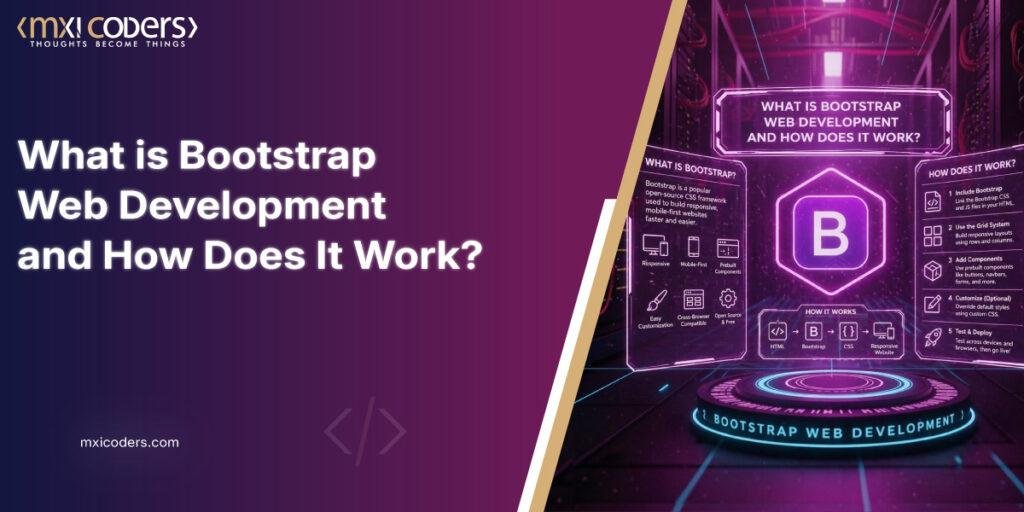
Bootstrap is a powerful, ready-to-use toolkit that helps you build sleek, professional websites that automatically look excellent on any screen size. Have you ever wondered how some websites look completely polished on a massive desktop monitor and a tiny Smartphone screen at the same time? Frequently, building that kind of flexibility from scratch takes hundreds of hours of tedious coding.
Bootstrap is fundamentally a massive DIY toolkit for building websites. Bootstrap provides a library of pre-made pieces that you can easily plug into your project, eliminating the need to write every single line of code for buttons, menus, and layouts yourself. Companies frequently seek to employ Bootstrap developers to leverage this efficiency and guarantee the construction of their websites on a robust, industry-standard foundation.
- Who is it for?
It’s the go-to choice for web developers who want to save time, startups trying to launch a professional site on a budget, and agencies that need to ensure their designs work flawlessly across every device.
- The Problem It Solves
The biggest headache in web design is “responsiveness,” making sure a site doesn’t break when you rotate your phone. Bootstrap solves this problem by providing a “mobile-first” framework. Bootstrap takes care of the complex tasks of layout and styling, enabling you to concentrate on your unique content instead of repairing broken buttons.
➣ What is Bootstrap in Web Development?
Basic Bootstrap Definition
Bootstrap: It is an open-source CSS framework that favours web development in a simpler and faster way. It includes design templates based on HTML and CSS, with which it is possible to modify fonts, forms, buttons, tables, navigations, drop-down menus, etc. There is also the possibility of using additional JavaScript extensions.
This entails such things as:
- On mobile devices, the navigation bars collapse and transform into a hamburger menu.
- There are color-changing effects when you pass the cursor over them. Form, icon, and pop-up windows that are already designed and formatted.
➣ Why Bootstrap Became Popular
Before the launch of Bootstrap, developers were forced to write thousands of lines of code per project. It became the industry standard since it addressed three key pain points:
- It Spares Giant Portions of Time
And why bother coding a navigation menu in three days when you can copy-paste a tested, bug-free Example in thirty seconds using Bootstrap? It enables developers to cease being concerned with the basics and concentrate on the distinctiveness of their site.
- Consistent UI Design
When you have a team of five who are working on one site, everybody may code buttons a bit
differently. Bootstrap offers one source of truth. This framework makes all the buttons, fonts, and margins appear the same throughout the site, making it look professional and polished.
- The Mobile-First Approach
In the world we live in, there are more people using phones than computers. Bootstrap was created in a mobile-first manner. This implies that the code will be designed to appear fantastic on small screens, after which it will be expanded to suit big screens. It eliminates the guesswork of making a site mobile-friendly, since the framework takes care of the resizing logic.
➣ How Does Bootstrap Work?
Consider Bootstrap as an already-made template for your site. Rather than looking at a blank screen and asking yourself where your first line of code goes, Bootstrap can offer a framework that shows where each element needs to be. Many businesses choose to hire bootstrap expert consultants to customize these templates so they don’t look like every other site on the web.
➥ Core Working Concept
Bootstrap is driven by a 12-column grid system. Suppose that your webpage were a graph paper that is cut into twelve vertical strips. This grid lets you tell the browser how much space the content should take up. This system is developed using HTML, CSS, and JavaScript under the hood.
- The structure is provided by HTML.
CSS deals with the appearance (the colours, fonts, and arrangement). JavaScript, however, is used to add the action, such as sliding a menu out or popping up a window.
➥ Bootstrap Grid System Explained
Bootstrap consists of three primary building blocks that nest within each other to make up the layout:
- Containers: These are the outermost wrappers that contain your content to keep it at the centre of the page.
- Row: These are placed within the containers and serve as horizontal groups of your columns.
- Columns: That is where your real content (text or images) resides. You may tell a column to occupy 4 slots of a sidebar or 8 slots of the article you are writing. The actual magic comes with Breakpoints. These are special screen widths (such as the width of the iPhone vs. the iPad) at which the layout changes automatically. In a desktop computer, you may have your columns side by side; in a mobile phone, Bootstrap understands that the screen is too small, and it automatically puts the columns on top of one another.
➥ Pre-Built Components
The best thing about using Bootstrap is that you do not need to create common elements on websites. It is accompanied by an enormous library of Pre-Built Components that are styled and tested:
- Navigation
Bars: 100% responsive menus that are beautiful on all devices.
- Buttons:
Ideally designed buttons of different sizes and styles.
Forms: Clean, simple to read the contact page/logins.
- Modals:
These convenient pop-up boxes come out when you press a particular link.
➥ Utility Classes:
Lastly, Utility Classes allow Bootstrap to provide you with surgical control of how your design looks without you having to write your own CSS. You can just add a little bit of text (such as “mt-3,” which means “margin-top”) to your use of HTML instead of adding space in a style sheet.
- Spacing: Simply drag the margin and padding to provide room to breathe.
- Colours: Change text or background colors quickly using simple names such as primary (blue) or success (green).
- Typography: Adjust your font size, weight, and alignment immediately to make your text readable. With these grids, components, and utilities, you can create a professional-level site in a fraction of the time it would have taken to create them manually.
Also Read: What Is Tokenization in Blockchain? A Complete Beginner’s Guide
➣ Key Features of Bootstrap
So why is Bootstrap the gold standard for so many web projects? The key features of Bootstrap alleviate the stress of coding. It’s not just about looks; it’s also about making things work for everyone, everywhere.
➥ Designing by default
The most notable attribute of Bootstrap is that it is responsive by default. You do not need to
write additional code to ensure your text remains readable or your images do not overlap on a tablet. The framework has been designed to fit the screen size and minimize the layout for optimal presentation.
➥ Mobile-First Framework
Previously, websites were designed to be used on desktops, and mobile was an appendix. Bootstrap reversed that script. It is mobile-first-oriented, i.e., the main code is made
smaller screen-friendly first. This makes your site fast and lightweight for the billions of people surfing using their phones.
➥ Pre-designed UI Components
Think of the framework as a massive library of ready-to-use parts. You do not have to write a complex navigation menu or a pop-up alert yourself, but rather, you can utilize its ready-made features of Bootstrap. These include:
- Slick dropdowns and buttons.
- Interactive carousels (sliders of pictures).
- Clear, readable forms and input fields.
➥ Cross-Browser Compatibility
It is one of the most irritating aspects of web development to have a site that appears to work
It works perfectly in Chrome but appears broken in Safari or Firefox. Bootstrap takes care of these issues. Your site will look the same in all major browsers.
➥ Easy Customization
Although it also has numerous defaults, you are not confined to them. Bootstrap is intended to be customizable. You are able to alter the main colours, the font sizes or the spacing to suit your brand. It provides you with an enormous head start, but does not leave much space for your own creative touch.
➣ When Should You Use Bootstrap?
The selection of the appropriate tool is all relative to your project objectives. Bootstrap is
mighty, but not a universal tool. When to lean on it and when to walk away will save you frustration and time in the future.
➥ Best Use Cases
There are certain cases when Bootstrap is nearly invincible: MVP Development: In the case of a Minimum Viable Product, you need to engage front-end users as soon as possible. Bootstrap enables your ability to create a functional and attractive site within days rather than weeks.
- Admin Dashboards: Back-end tools need to be systematic and transparent, not masterpieces. The grid and table styles available in Bootstrap are ideal for heavy data layouts.
Corporate Websites: Bootstrap is a clean, professional, and trustworthy Corporate Web Site, which offers the business a polished appearance that the user can relate to.
- Bootstrap Rapid Prototyping: In case you are required to demonstrate to a client a working model of an idea, you can quickly mock up a clickable interface using Bootstrap.
➥ Reasons why you may not use Bootstrap are the following:
Bootstrap should not be used when it is not necessary. Although it has its advantages, two primary reasons why you may not use Bootstrap are:
- Very unique UI/UX Designs
If your brand identity relies on a highly specific, unconventional visual style, Bootstrap could
potentially hinder your brand identity. Since it is associated with so many pre-established styles, you may end up spending more time struggling with the default code to make modifications than you would have spent writing your own code in its entirety.
- Performance-Critical Apps
Bootstrap is not a lightweight framework, but it offers several features that you may not need.
In the case of a large-scale application in which loading speed is crucial, a more slender, tailor-made CSS file is usually a more preferable option.
➣ Will Bootstrap be Relevant in 2026?
New coding tools emerge weekly, prompting the question: Is a framework developed more than ten years ago still worth studying? The yes is resounding, but the reason has changed over the years with the development of the web.
- Still Widely Used, Bootstrap isn’t going anywhere. It continues to drive a giant portion of the internet in 2026, both massive enterprise platforms and government portals. Due to the large number of websites created, there is always a high demand for developers proficient in the
maintenance and updating of projects based on Bootstrap. It remains a trusted tool in the web development industry.
- Competitors: Tailwind and Modern Frameworks. Now, the landscape is more saturated, and Tailwind CSS is becoming a popular choice among those developers seeking pixel-perfect custom designs. Like a box of raw materials, Tailwind is; you build all the details yourself.
Bootstrap is similar to purchasing expensive, ready-to-assemble furniture. Whereas Tailwind is more flexible, Bootstrap has countered by making it lighter and more modular. In 2026, Bootstrap allows you to choose what you want, making it more competitive with modern utility-first tools.
- Speed is paramount: Bootstrap may restrict your ability to create a unique, award-winning, creative portfolio. But when you have to get a Minimum Viable Product (MVP), an administrative dashboard, or an internal business tool ready in the next day, there is nothing like Bootstrap.
It values utility more than art. It is the final weapon when you have to have a site that is clean.
functional and bug-free within the minimum amount of time possible. To most businesses and startups, speed is far more valuable than a special shape of a button.
➣ Final Thoughts on Bootstrap Web Development
Ultimately, Bootstrap provides a significant advantage in terms of speed. Bootstrap eliminates the uncertainty of web design, ensuring your site appears professional and operates flawlessly on every device, without the hassle of writing extensive code.
While there are many flashy, innovative tools out there, Bootstrap remains the “old reliable” for a reason. Whether you are a solo developer launching your first big idea or a business that needs a polished, responsive site by tomorrow, this toolkit delivers consequences every single time. It proves that in the fast-paced world of web development, sometimes the top way to move ahead is to build on a foundation you can really trust.